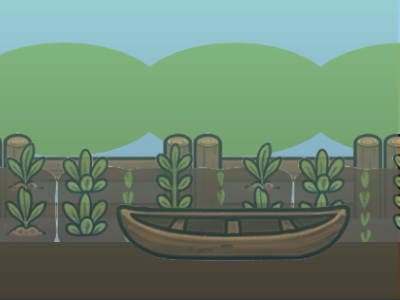
The idea it started from: “A jungle explorer runs along the treeline catching falling fruit before it hits the ground.”
Catch mangoes and coconuts, dodge the rotten ones, and keep your combo alive as the pace ramps up.
PlaySprig is an AI game maker built for ages 8 and up - kids, teens, and grown-up beginners alike. Design, plan, build, play, and share - all inside a safe browser sandbox.
“Add a robot boss that gets angry when its health is low”
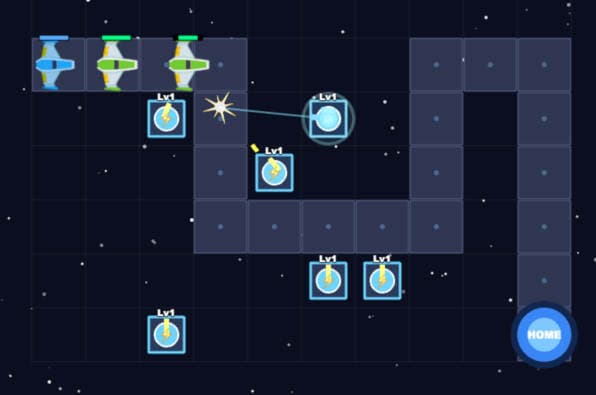

Every game below started as an idea, grew into a plan, and was built and polished step by step. No downloads - they run right in your browser, in the same safe sandbox you’ll build in.
The idea it started from: “A jungle explorer runs along the treeline catching falling fruit before it hits the ground.”
Catch mangoes and coconuts, dodge the rotten ones, and keep your combo alive as the pace ramps up.
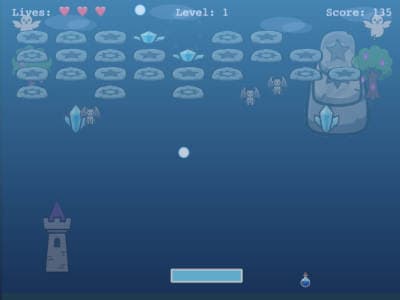
The idea it started from: “An ice-themed breakout game where you smash frozen bricks with a bouncing snowball.”
Clear icy brick walls, grab power-ups, and keep the snowball in play across escalating layouts.
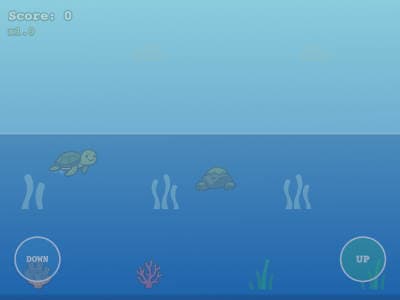
The idea it started from: “A little turtle dashes across the beach, hopping obstacles and racing for a high score.”
Time your jumps, dodge obstacles, and see how far your turtle can dash before the run ends.
Shape the idea, approve the plan, build it step by step. You see a playable game at every milestone - then learn by changing real code, not by staring at a blank file. It’s how real builders work, whether you’re 8 or 48.
Start with an idea in plain English, like “a co-op space rescue game with power-ups and a final boss.” AI helps turn it into a real game concept — characters, world, mechanics — so you learn to describe exactly what you want.
AI drafts a game plan you review before any code exists — then you build it step by step, with a playable game at every milestone. Big idea, small steps: the way real builders work.
Change a number and watch the jump get higher. Ask for a new enemy. Remix the real JavaScript until the game feels completely yours — that’s where the learning happens.
Block tools like Scratch teach logic, then hit a ceiling. Generic AI chatbots aren’t built for this. PlaySprig outputs real JavaScript that transfers to actual web development, and teaches the skill that matters alongside it - describing, planning, and iterating with AI - all inside a sandbox with built-in safety guardrails.
Read the full parent’s guide to life after Scratch →You can’t safely hand a child a general-purpose AI chatbot and say “make games.” You can hand them PlaySprig. Safety isn’t a setting here - it’s the architecture.
Every game runs in an isolated browser sandbox that blocks network requests, file access, and anything else code shouldn’t do. AI output is validated before a single line runs.
The AI only builds games. It can’t browse the web or discuss open-ended topics, and safeguards keep every response — themes, language, content — appropriate for kids.
Kids under 13 sign up with a username and a parent’s email — you approve the account before it sticks. No child emails, no data selling, no behavioral profiling.
We charge a simple subscription instead of selling attention. There is nothing on PlaySprig designed to manipulate your kid.
Same real skills - JavaScript, computational thinking, AI fluency - at a fraction of the cost. And there’s a free plan to try first.
Compare plansIn a 2026 NPR/Ipsos poll, 54% of teachers said AI is making it harder for students to think critically, and 55% said students use it as a shortcut to avoid work. Both describe the same thing: a graded task the student didn’t choose, that an AI can finish invisibly.
A game is none of those things. Nobody grades it, the student decides what it should be, and it either plays well or it doesn’t.
Read the longer answer →Teachers, homeschooling parents, clubs and co-ops.
The AI can’t start until a student has decided what the game is and corrected the plan. Skip that and you get a generic game you didn’t want and can’t change.
They press play. What the AI got wrong is visible in seconds — so checking the output isn’t a lesson bolted on, it’s the only way the game gets finished.
Nothing is handed in. The concept they wrote, the plan they approved and every revision stay on screen next to real JavaScript they edit.
Safety, differentiation, and what the free plan actually includes - answered up front.
Read all FAQsPlaySprig turns a game idea into a real game, step by step. Kids describe the idea in plain English, shape it into a concept and plan with AI, then build it milestone by milestone — playable at every step — and keep editing the JavaScript and assets to make it their own.
Block-based tools use visual blocks, and projects stay inside their platform. PlaySprig generates real JavaScript — code that transfers to web development and professional tools — and kids build with AI the way real developers do: concept, plan, then step-by-step milestones. It's designed for kids who have outgrown blocks and want to build more ambitious projects.
PlaySprig is built for kids, and so is its AI. It only does game creation — it can't browse the web or chat about open-ended topics — and every response passes through safeguards that keep themes, language, and content age-appropriate. Generated code is also validated before a single line runs.
Sign up free, type the idea, and watch it become a real game - tonight.